 Not in favourites
Related games
 A & B KidsNot in favourites
 Empire Tower Defense - Zombie FortressNot in favourites
 Guess Flag GameNot in favourites
 Knights vs Dragons Battle SimulatorNot in favourites
 Mahjong Butterflies DeluxeNot in favourites
 Mummy LandNot in favourites
 One SquareNot in favourites
 007 Cameraman Enemy SkibidiNot in favourites
 100 Rooms EscapeNot in favourites
 1001 Arabian NightsNot in favourites
 1010 SudokuNot in favourites
 1941 Frozen FrontNot in favourites
 1942 Pacific FrontNot in favourites
 2 Players TanksNot in favourites
 2029 Catpocalypse.ioNot in favourites
 2048 - Link 'n MergeNot in favourites
 2048 BallzNot in favourites
 2048 ChampionNot in favourites
 2048 Cube RunNot in favourites
 2048 Level 12Not in favourites
 2048 Number BallNot in favourites
 2048 Number MatchNot in favourites
 2048 Puzzle Challenge - Number Merge Mania!Not in favourites
 2048 X2 Merge BlocksNot in favourites
 2048ColourBallsNot in favourites
 2D Airplane ShootingNot in favourites
 2D Nitro RaceNot in favourites
 2D Ping PongNot in favourites
 3D Ball RunnerNot in favourites
 3D DartsNot in favourites
 3D Funny ShooterNot in favourites
 3D Lane RunnerNot in favourites
 3D SortNot in favourites
 3D TouchNot in favourites
 3DBallNot in favourites
 3TrisNot in favourites
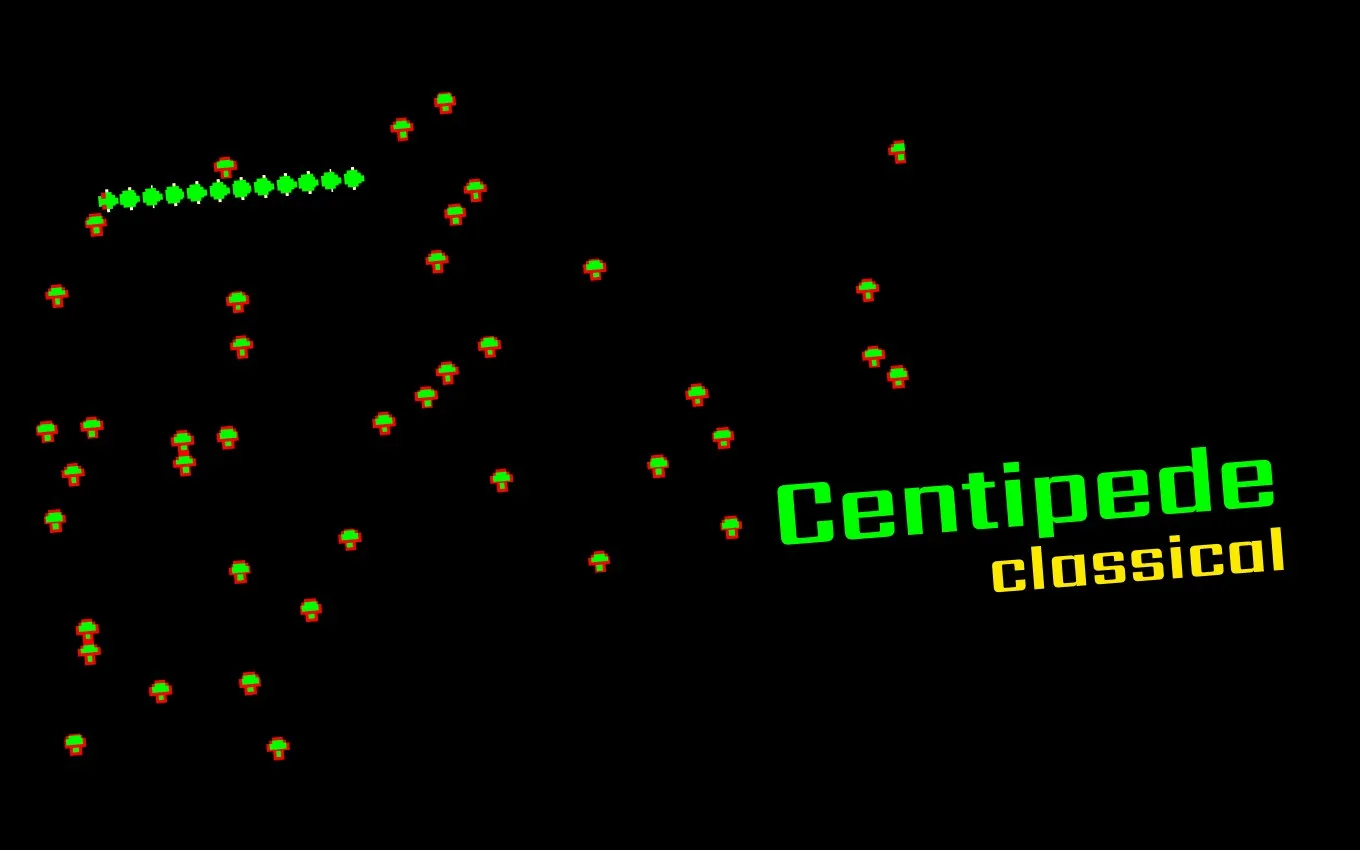
Centipede
Blast away at the descending centipede as it weaves unpredictably through a maze of colorful mushrooms. Master precision shooting while dodging obstacles in this fast-paced, nostalgic arcade classic. Test your reflexes and enjoy endless fun in a timeless challenge that captivates players decades after its debut.
Category: Snake
Publisher: GamePix
Game rating
Game help
To start playing, select the Play button in the game area. Most games use a keyboard, mouse, touchscreen, or a combination of these. Look for instructions on the title screen or in the game's pause menu, since controls and goals vary from game to game. Common keyboard controls include the arrow keys or WASD for movement, Space for an action, Enter to confirm, and Escape to pause. On mobile devices, tap the on-screen controls and rotate your device if the game recommends a different orientation.
If the game does not start, first wait a few moments for its files to load. Then select Reload Game and try again. You can also refresh the page, check that JavaScript is enabled, and temporarily disable browser extensions that block scripts, cookies, or embedded content. For games that provide the option, Open in new window may work better when a browser blocks third-party content. A stable internet connection and an up-to-date browser usually provide the best experience.
Use Fullscreen for a larger play area. Press Escape to leave fullscreen mode. If sound is missing, check the game's audio controls, your device volume, and whether the browser tab is muted. Some browsers require you to interact with the game before audio can begin. If performance is slow, close unused tabs and applications, exit fullscreen, or try another modern browser. Progress may be saved in your browser, so clearing site data or using private browsing can remove saved progress. Never enter personal or payment information inside a game unless you understand and trust the request.
Comments
No approved comments yet.